
| Sylvia Evans | Business, Artificial Intelligence, Technology
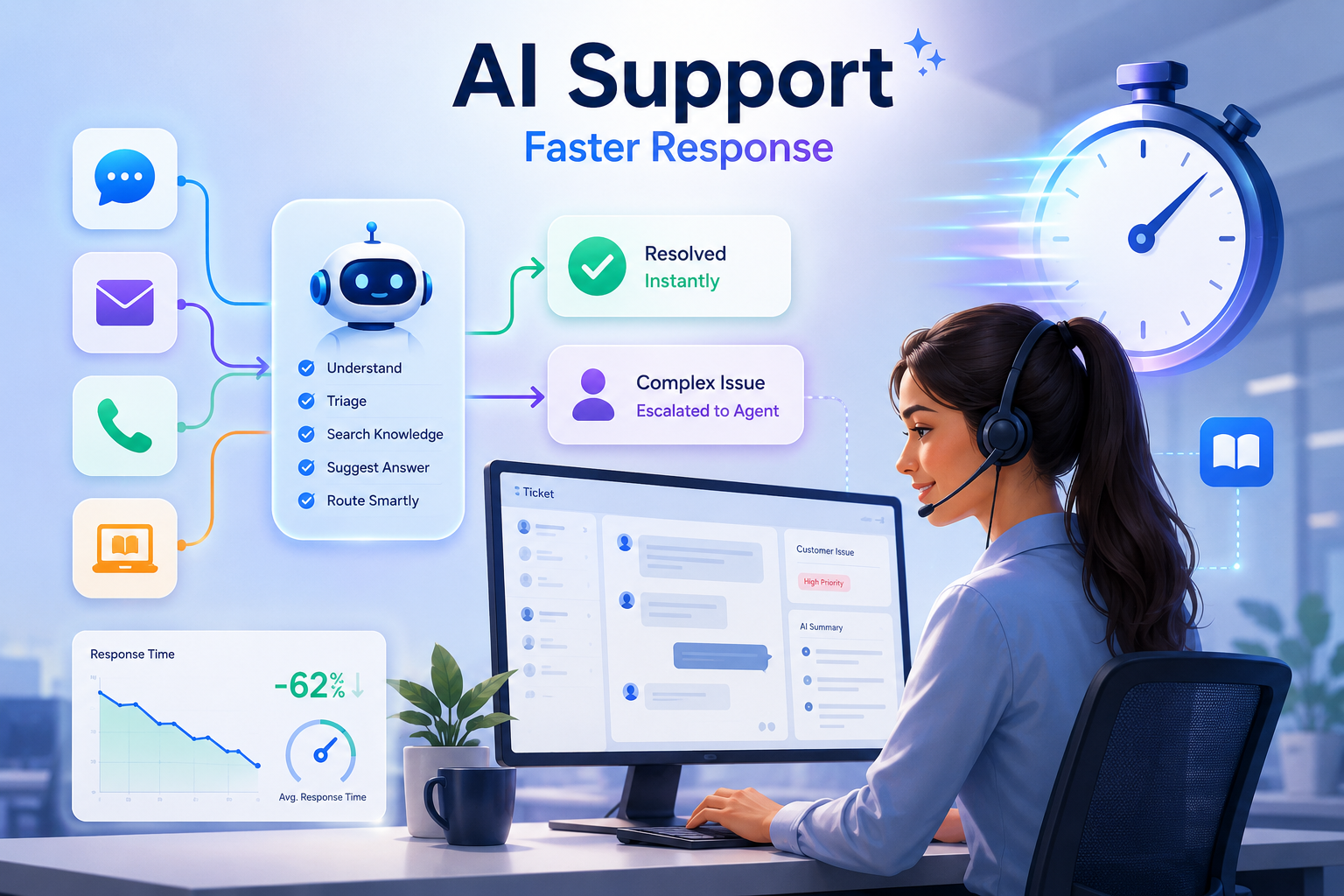
The way businesses handle customer support is changing. Customers now directly contact support when a payment fails, an order is delayed, an account is locked, or a product stops working. Every minute without useful guidance increases uncertainty and often leads to repeated messages across email, chat, social media, or phone.
Traditional support methods often struggle to keep up, especially when teams must manage repeated questions and high request volumes. AI and automation reduce these delays by completing defined steps before an agent begins the investigation.
AI and automation are helping businesses close this gap. Automated systems can respond to simple inquiries, organize incoming requests, and direct customers to the right support path. With these tools, companies can reduce waiting time, improve team productivity, and create a smoother support experience for customers.
Why Response Time Matters in Customer Support
Customers often judge a business by how fast it responds when they need help. A quick response tells customers that the company is active, organized, and serious about solving their issue. NiCE’s 2025 Global Happiness Index found that 55% of consumers believe AI support saves them time, while 72% say they have experienced benefits from AI and automation.
Although it may not solve the problem immediately, it reduces frustration and gives customers confidence that the business is paying attention. When replies are delayed, customers may send repeated messages, leave negative feedback, or move to another company that responds faster.
However, speed alone is not enough. Customers still expect clear answers, smooth communication, and proper solutions. That is why many support teams now use AI and automation to improve response time without reducing service quality. Automated replies, ticket routing, chatbots, live chat, and AI assistants, and after-hours support help customers get quicker updates, while trained agents handle more complex issues with care.
How AI and Automation Improve Customer Support Response Times
AI and automation improve customer support response times by answering simple questions, sorting requests, and sending urgent cases to the right team. Together, these tools remove common delays from the support process and keep your requests moving toward resolution.
AI Chatbots Answer Common Questions Instantly
AI chatbots answer common customer questions as soon as they are asked. Customers do not need to wait in a long queue for basic help such as order updates, password resets, booking details, store hours, or simple product information.
When a chatbot handles these simple questions, customers get answers faster, and human agents get more time to solve problems that need personal attention. As a result, the support team can serve more customers without slowing down.
Automated Replies Reduce Waiting Time for First Responses
Automated replies act like a digital receptionist for customer support. When a new email, chat, or form request arrives, the system sends an instant message such as “We received your request” or “Our team will reply within one business hour.”
This reduces frustration because customers know their message did not disappear into a void. A good automated reply does not replace human support, but it removes the silence before an agent replies. That first instant response helps customers feel heard while the support team reviews the issue.
AI Sorts Customer Requests Faster
AI sorts customer requests faster by reading each message as soon as it arrives and identifying what the customer needs. It checks the words, intent, urgency, sentiment, and past customer history, then automatically adds the right category, priority, and tags.
AI can route each ticket to the right department or agent based on skill, workload, language, issue type, or customer priority. This helps teams handle the most important issues first, rather than answering tickets only in the order they arrive. It improves response quality, protects customer relationships, and helps teams meet SLA targets.
Self-Service Portals Reduce Repetitive Support Requests
A self-service portal works like a 24/7 help desk that does not need an agent for every small issue. When customers need help, they can search the portal, read step-by-step answers, watch tutorials, check account details, or complete simple actions like password resets and order tracking.
This improves customer support because teams no longer spend most of their time answering the same basic questions. Instead, they can focus on complex, urgent, or high-value cases that require human expertise. Self-service portals can also help reduce response times and lighten agent workloads by giving customers direct ways to
Workflow Automation Removes Manual Support Tasks
Workflow automation handles routine support tasks automatically. When a customer submits a request, the system can add tags, assign the case to the right team, send updates, request missing information, and escalate urgent issues.
For example, when a customer reports a duplicate payment, the system can mark it as a billing issue and send it to the payments team. It can also provide a case number, request the invoice details, and notify a supervisor if the team does not respond within the promised timeframe.
However, support teams still need to monitor automated workflows. They should regularly review failed actions, incorrect assignments, and unresolved cases.
Sentiment Analysis Prioritizes Urgent Customer Issues
Sentiment analysis uses AI, natural language processing, and machine learning to analyze customer messages in real time. AI checks words, context, punctuation, urgency signals, and negative phrases to understand whether a customer sounds calm, confused, frustrated, angry, or at risk of leaving.
When the system detects strong negative sentiment, it can automatically mark the ticket as high priority, move it higher in the queue, or alert a supervisor. This helps support teams respond faster to customers who need immediate attention, rather than treating every ticket the same.
Predictive Support Helps Solve Problems Before They Grow
Predictive support uses AI and machine learning workflows to identify potential customer issues before they turn into complaints. AI studies past tickets, product usage, customer behavior, failed actions, service alerts, and repeated patterns to detect early warning signs. Once a risk is identified, the system can automatically trigger helpful actions such as showing relevant help messages, recommending knowledge base articles, notifying agents, or creating tickets. This proactive approach resolves issues faster and protects customer satisfaction.
How AI and Human Agents Work Together in Customer Support
This workflow shows how AI supports each stage of a customer request before passing the issue to a human agent when needed.
- Acknowledge: The system confirms receipt, creates a case number, and communicates the expected review time.
- Classify: AI analyzes the message to determine the issue, urgency, language, product area, and any additional information required.
- Resolve or Route: Simple, low-risk questions receive an approved self-service response, while complex or sensitive issues are routed to the appropriate support team.
- Assist or Escalate: The assigned agent receives a conversation summary, customer details, previous actions, and relevant support resources. Urgent or unclear cases are escalated to a senior agent or supervisor.
- Review Performance: The support team evaluates metrics such as response time, resolution time, repeat contacts, successful handoffs, and customer satisfaction.
Best Practices for Using AI and Automation to Improve Customer Support Response Times
AI and automation improve customer support response times when businesses connect tools with customer data, keep human help available, update support content, and track performance. These practices help reduce delays without lowering the quality of support.
Automate Simple and Repetitive Questions First
Start by using AI and automation for the questions your support team answers most often. Common requests like password resets, order tracking, account updates, business hours, and basic product information can usually be handled without human involvement.
This reduces the number of routine tickets entering the support queue and allows customers to get answers immediately.
Keep Human Agents Available for Complex Issues
AI should complement, not replace, human agents. Some customer problems need personal attention, clear judgment, and empathy, especially when the issue involves complaints, cancellations, technical errors, or sensitive concerns. When customers can quickly reach a person for these complicated issues, they receive better support, feel more understood, and are less likely to become frustrated by automated systems.
Connect AI With CRM and Support Tools
AI performs more accurately when it has a complete view of each customer, including purchase history, support tickets, previous messages, and account activity. This context helps the system understand requests without asking customers to repeat information.
Agents also spend less time searching for details before responding, reducing delays throughout the support process.
Update the Knowledge Base Regularly
Keep your AI’s knowledge base updated by continuously adding new content, fixing gaps, and removing outdated information. If the help articles, FAQs, or support guides are outdated, AI may give weak or incorrect answers.
A well-maintained knowledge base ensures accurate self-service answers and prevents errors that erode customer trust. Customers are more likely to solve problems on their own when the information they find is current, clear, and reliable.
Track Response Time and Improve Workflows
Using AI and automation is not enough if businesses do not measure their performance. Support teams should regularly monitor key metrics such as first response time, resolution time, ticket volume, and customer satisfaction.
This helps identify bottlenecks, inefficient processes, and areas where automation can provide more value. Over time, businesses can refine workflows, improve response speed, and create a smoother support experience for both customers and agents.
Key Metrics to Measure AI’s Impact on Support Response Times
The following metrics provide a clearer view of how AI affects the overall support experience.
- First Response Time (FRT): Measures the time between a customer's request and the first response from the support team. It helps indicate how quickly customer inquiries are acknowledged.
- Average Resolution Time (ART): Measures the total time required to resolve a customer issue from start to finish. AI can help reduce resolution times by routing tickets accurately, suggesting responses, and automating repetitive tasks.
- Ticket Deflection Rate: Measures the percentage of issues customers resolve without submitting a support ticket. Self-service portals, knowledge bases, and AI chatbots can improve this metric by helping customers find answers independently.
- Escalation Rate: Measures how often AI-handled requests need to be transferred to a human agent. A lower escalation rate generally indicates that AI is successfully resolving a greater number of routine inquiries.
- Customer Satisfaction Score (CSAT): Measures customer satisfaction with the support they receive, typically through post-support surveys. Faster response times and accurate AI-assisted support can help improve customer satisfaction.
Conclusion
AI and automation are becoming important tools for improving customer support response times. They help businesses answer common questions quickly, reduce repetitive tickets, organize customer requests, and identify urgent issues before they get worse.
At the same time, human support remains important for complex and sensitive problems. A strong support system uses AI for speed and efficiency, while human agents provide judgment, empathy, and detailed problem-solving. When both work together, businesses can offer faster responses and a better customer experience.
Author

Sylvia Evans
Sylvia Evans is Senior Editor at Calilio, where she works with writers to create clear, effective content. With over a decade of editorial leadership, she specializes in turning complex ideas into clear, engaging stories. She focuses on technology and business communications, including cloud communications and VoIP, helping teams translate technical topics—such as managing peak call demand—into practical, reader-friendly guidance.
0 Comments
Comments are moderated to keep the discussion useful and respectful. Spam, automated submissions, and low-value promotional comments are removed.
Leave a Comment