
| Coronium Team | Search Engine Optimization, Web Design, Web Development
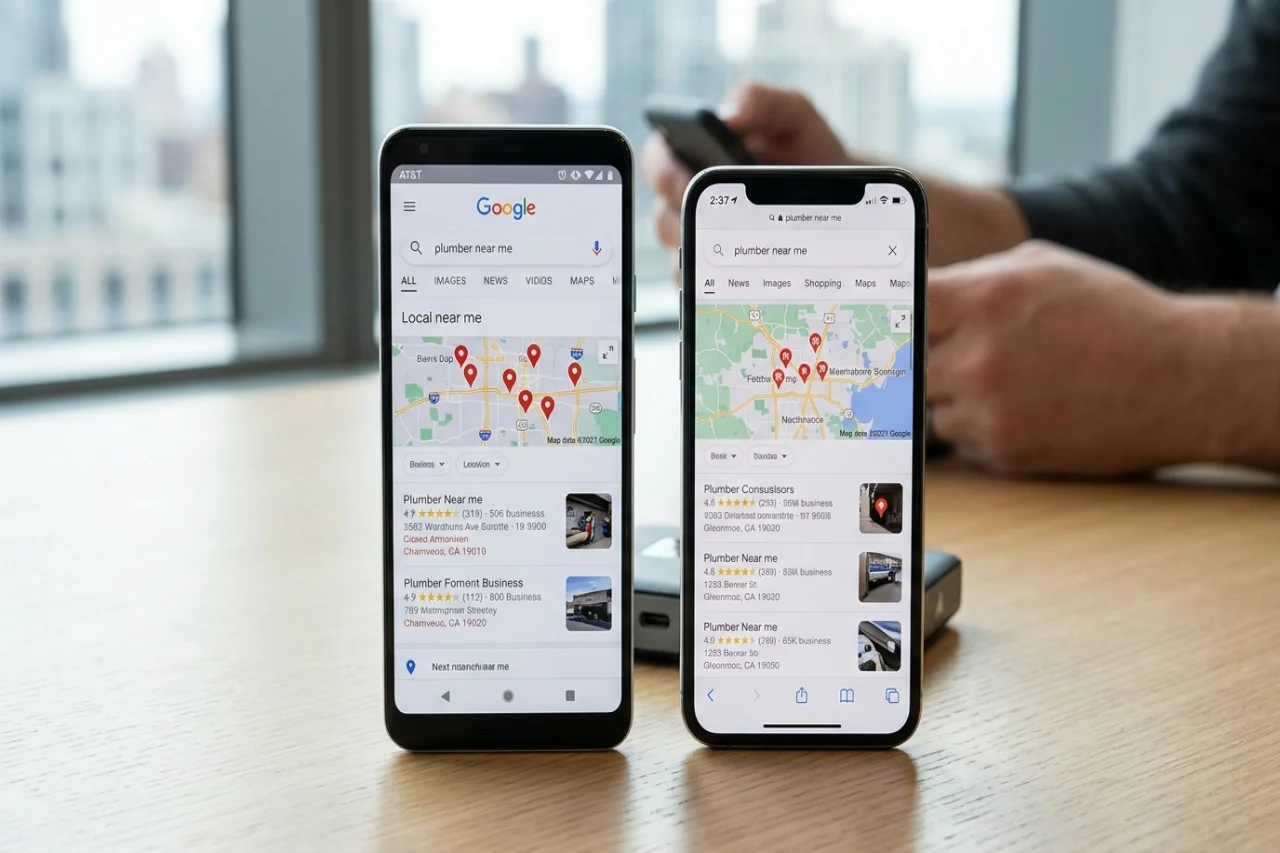
Ask two people in the same city to search for "plumber near me" on their phones, and they will often see different results. Ask someone in another city, and the results change completely. For anyone who tracks rankings, that raises a practical question: which of those result pages is the "real" one, and how do you see it yourself?
This guide covers why local results move on mobile networks, what actually tells a search engine where a searcher is, how to test from a given city without fooling yourself, and the mistakes that make rank checks unreliable.
Why local results differ at all
Search engines treat local intent as a strong signal. A query like "coffee", "dentist" or "car repair" is assumed to mean "near me", even when the searcher does not say so. The engine then ranks businesses by relevance, distance and prominence, and decides whether to show a map pack, a list of local listings, or ordinary web results.
Distance is the part that changes from one searcher to the next. To estimate it, the engine needs a location for the searcher, and it builds that from whatever signals it has: the device's precise location if the user has granted it, the location settings of a signed-in account, recent activity, the language and region of the search, and the IP address of the connection.
When precise location is missing, the IP address carries more weight. That is where mobile networks behave differently from home broadband.
What a mobile IP tells a search engine
On fixed broadband, an IP address usually belongs to a local access network, and geolocation databases can often place it in the right city or close to it.
Mobile data works differently. A phone's traffic leaves the carrier's network through a packet gateway, often behind carrier-grade NAT, and a carrier may run only a few of those gateways for a whole country. Everyone routed through a given gateway shares its pool of public addresses. A geolocation database sees that pool and places it where the gateway is, or where the carrier registered the block, or just in the country with no city at all.
The result is that a searcher in one city can appear, by IP alone, to be in another. Two carriers in the same city can also appear in different places, because each routes traffic through its own gateways. This is why carrier and city targeting are separate choices when you plan a test: the carrier decides which network and gateway pool you come from, and the city a database assigns to that pool may or may not match the city you care about.
What changes by carrier
When you compare results across carriers in the same country, a few things tend to differ:
- The inferred city. One carrier's pool may be placed in the capital, another's in a regional hub. If precise location is off, the local pack tends to follow that inferred city.
- IPv4 versus IPv6. Many carriers now run IPv6 first. The search engine may see the phone's IPv6 address, which can be geolocated differently from the carrier's IPv4 pool.
- Consistency over time. Mobile addresses change when a phone reconnects, and a new address can come out of a different gateway. A rank check repeated an hour later may come from a different inferred location.
None of this means one carrier gives "better" rankings. It means the carrier is part of the test setup, and you should record it along with the results.
What changes by city
City is the variable most rank trackers care about, and it is the one that IP alone controls least reliably on mobile.
If the business you track serves a single city, the honest test is a device that is physically in that city, on a local carrier, with location services in the state a normal customer would have. If you cannot be there, the next best option is a connection whose public address is placed in that city by the major geolocation databases, checked before you start. Look the address up in several databases and compare. If they disagree, or only name the country, treat any "local" result from that connection with caution.
Most search engines also let you set a location explicitly, through location parameters, the location setting on a results page, or a signed-in account's settings. These can override the IP-based guess, which is useful for repeatable checks but can hide what an ordinary searcher on that network actually sees.
How to run a clean local check
A simple, repeatable method works better than any single clever trick:
- Decide what you are measuring. "What does a typical phone user on carrier X in city Y see for query Z" is a clear question. "Where do we rank" is not.
- Use a clean browser profile. Signed-in history, past searches, and saved locations all shift results. A fresh profile with no account removes most of that.
- Check the connection first. Before searching, look up the current public address in two or three geolocation services and note the carrier, the inferred city, and whether you are on IPv4 or IPv6.
- Match the language and region settings to the market. A browser set to another language can change which results and which local listings appear.
- Record everything with the result: time, query, carrier, inferred city, IP version, and whether location services were on. Without that, two checks cannot be compared.
- Repeat at different times. Local results move during the day and between days. One screenshot is an anecdote; a series is data.
Common mistakes
- Trusting a single geolocation answer. Mobile ranges are where databases disagree most. Check more than one.
- Mixing desktop and mobile results. Layout, local pack size and even rankings can differ by device type. Compare like with like.
- Forgetting the signed-in account. A logged-in account with a home location will often beat the IP signal and show results for the wrong city.
- Assuming the same address all session. On mobile data, the address can change on reconnect. If your results suddenly shift city, check the address again before drawing conclusions.
- Reading too much into one carrier. If you only test on one network, you only know how that network's searchers see the results. For a market with several large carriers, sample at least two.
- Ignoring the map pack. For many local queries, the map pack gets the attention, not the first organic result. Track both.
The short version
Local results depend on where the search engine thinks the searcher is, and on mobile data that estimate comes partly from the carrier's gateway, not the phone's real position. The carrier, the inferred city, and the IP version all belong in your test notes. Check the connection before each run, use a clean profile, match language and region, and repeat checks over time. Done that way, a mobile rank check gives you a much closer picture of what real users on that network see, rather than what one lucky connection happened to show.
Author

Coronium Team
0 Comments
Comments are moderated to keep the discussion useful and respectful. Spam, automated submissions, and low-value promotional comments are removed.
Leave a Comment